Student unable to sign into Word or other Office applications
Symptom: Student is receiving an error message that their Microsoft account is no longer active
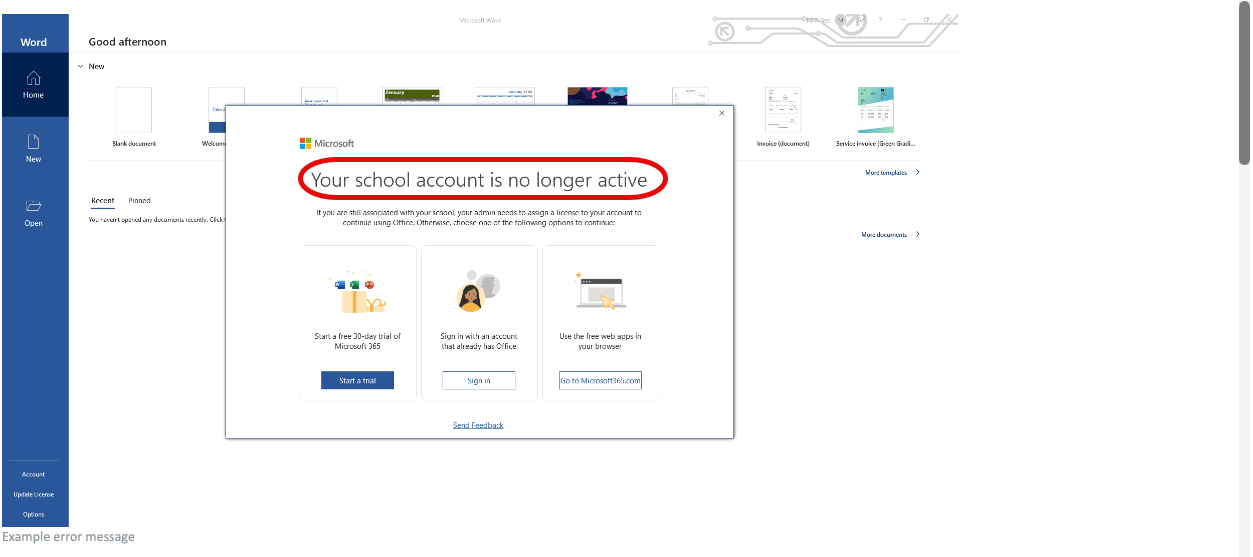
Issue: The Microsoft Office license assigned to students is an online-only version of Office. The installed desktop applications (Word, Excel, Outlook, etc.) are not available for use with this license.
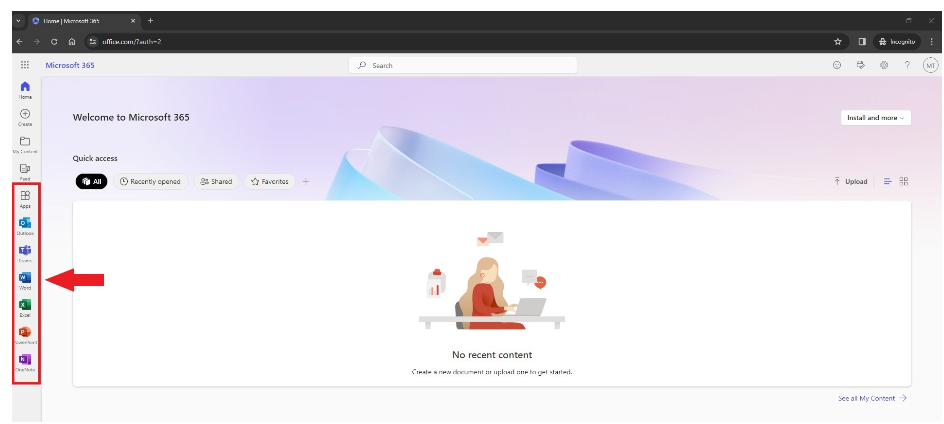
Solution: Students should go to www.office.com and log in with their SDI credentials. They can choose the app they would like to use on the left-hand navigation bar, and the online version of that app will open in a new tab.
Tips and Tricks:
Downloading and opening assignments
Normally when you download and open an assignment, your computer will try to open the installed version of the app (Word, Excel, etc.) automatically. There isn't a way to set up the computer to open the file in the browser version, so you will need to:
1. Log into www.office.com
2. Open the application you want to use (Word, Excel, etc.)
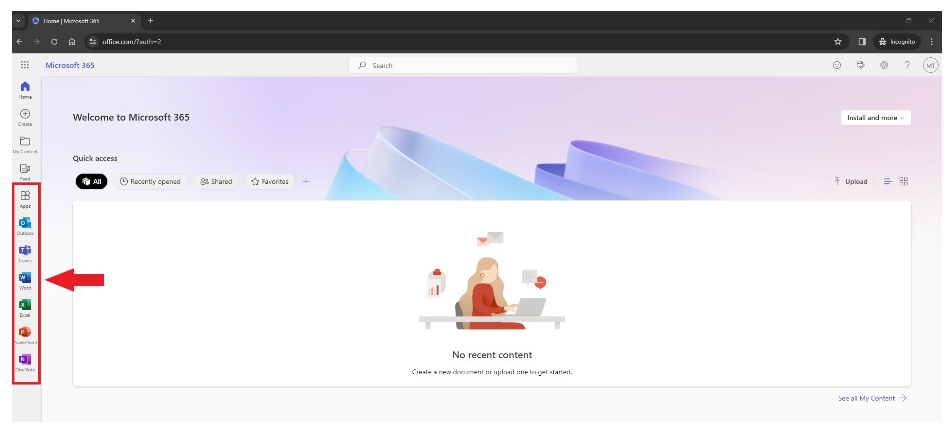
3. Look for the Upload button on the right-hand side of the page
4. Click Upload and find the assignment file you downloaded (typically located in your Downloads folder)